AI Agent Platform
Workflows
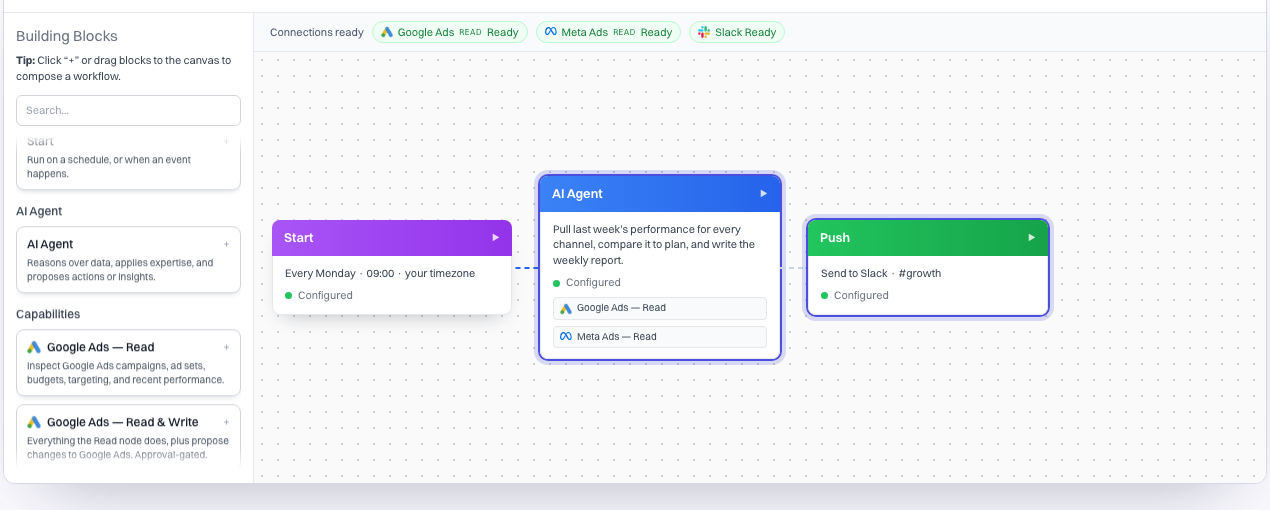
A workflow is a piece of work you describe once and Maxma runs again and again. You choose what it does, when it runs and where the result goes.
Use it for anything your team repeats: the same report, the same check, the same clean-up.
The parts of a workflow
| Part | What it means |
|---|---|
| Trigger | When it runs: on a schedule, or when something changes, such as a new campaign or ad appearing |
| Work | What the agent should do, described in plain language |
| Approval | Whether steps that change accounts pause for a person |
| Delivery | Where the result goes, such as a Slack channel |
What teams automate
- A weekly performance report, written and posted before the Monday meeting
- A daily search-terms clean-up, proposing negatives and pauses
- An hourly alert when cost per acquisition jumps, with the likely cause
- Budget pacing against plan, flagging anything running hot or cold
- Creative tagging, so every new ad is classified as it launches
- A monthly performance report, built from the same numbers each time
Approvals inside a workflow
A workflow can read, analyse and draft without stopping. Steps that would change a live account still produce a proposal and wait, exactly as they do for any other request. A workflow that is never approved does not apply its changes.