Creative
Creative Generation
Maxma makes creative from what you already have: the product photos in your store, the images on your site, or anything you upload. Built on the leading image and video models, with our own editing layer on top.
What it can make
| Format | Examples |
|---|---|
| Video | UGC-style creator videos, try-on and demo cuts, vertical for Reels and TikTok, a 16:9 cut for YouTube |
| Image | Product shots, lifestyle compositions, static ads, catalog images |
| Audio | Voiceover, background music and sound effects, matched to the cut |
| A full ad set | Copy, images and video together, built from a product URL, a store product or a written brief |
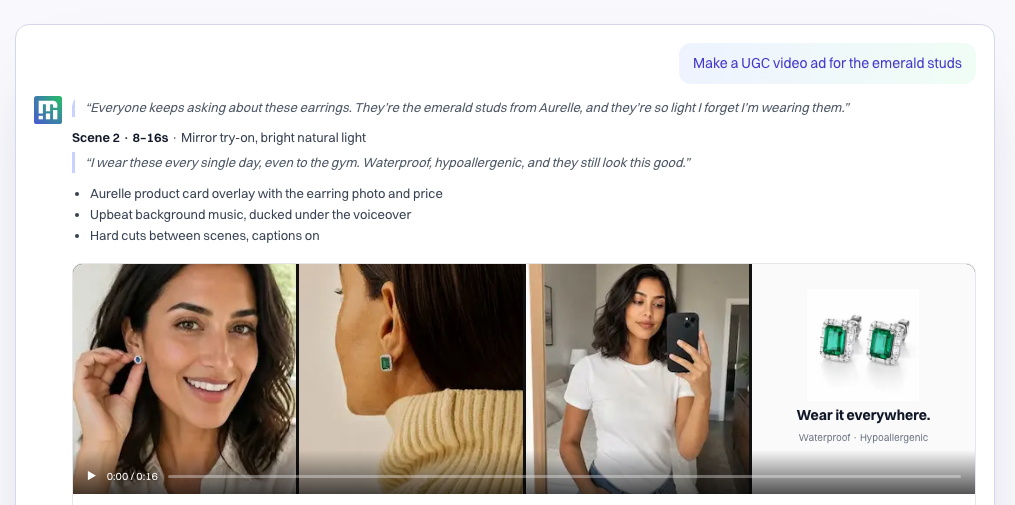
Starting from your products
Pick products straight from your store and make creative from their own photos, so the ad shows what the customer will actually receive.
Pick product photos to create images and videos for your ads or listings.
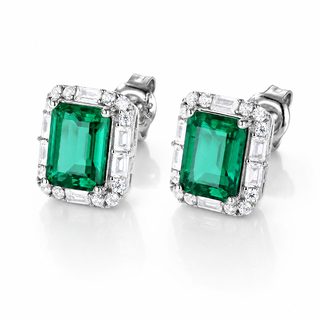 Square Emerald Stud Earringsactive · 120.00 USD
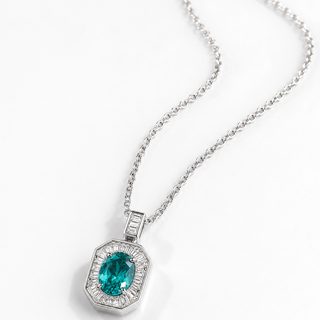 Paraíba Square Pendant Necklaceactive · 150.00 USD
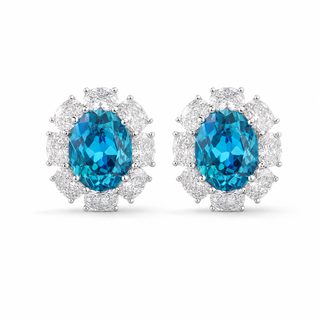 Oval Paraíba Stud Earringsactive · 120.00 USD
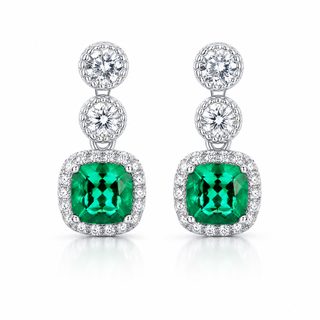 Square Emerald Drop Earringsactive · 150.00 USD
Ads for software, where there is no product photo
Software has nothing to photograph, so the ad is the message. Maxma writes and lays out text-led ads in your brand style, and turns one brief into a set of them: a different angle, a different headline, a different call to action, ready to run as a test.
That means you can test what you say without a designer, a photo shoot or a design tool in the loop, and put the spend behind whichever message earns the signups.
One brief, a set of ads. No design tool, no photo shoot.
Every project, owner and deadline in one view your team actually keeps current.
Start free →Bring the docs, the tickets and the decisions into one workspace.
Try it free →Progress updates itself, so Monday starts with answers instead of a round of questions.
See a live demo →Dates that move when the work moves, and everyone sees it the same day.
Get started →Starting from what works
Creative does not have to start from a blank page:
- From a winner. Take an ad that is working and make variations of it.
- From a competitor. Find what competitors are running on Meta and TikTok, and recreate any of it for your brand.
- From the analysis. Brief the next round from what analytics says won.
The models behind it
Maxma is not tied to one image or video model. It calls the provider that fits the job: one for exact pixel sizes, another for holding the same face across a set of images, another for a clip with spoken audio, another for lip-syncing to an audio track you supply.
Maxma picks the one suited to the job. Name a different one and it uses that instead.
 OpenAI
 Google
 Veo
Veo MiniMax
 Kling
Kling Seedance
 ElevenLabs
By default you do not choose. Maxma reads what the job needs and picks the provider and model best suited to it.
When you want a particular one, say so. Name the provider in your ask — "make this with Veo" — and it uses that one. In a workflow, you can prescribe the provider up front so every run uses the same one.
New models arrive constantly, and the set above changes as they do.
Your brand, not a generic one
Generation follows your brand profile and the rules in your brief: the palette, the type, the claims you can make, and the ones you cannot.